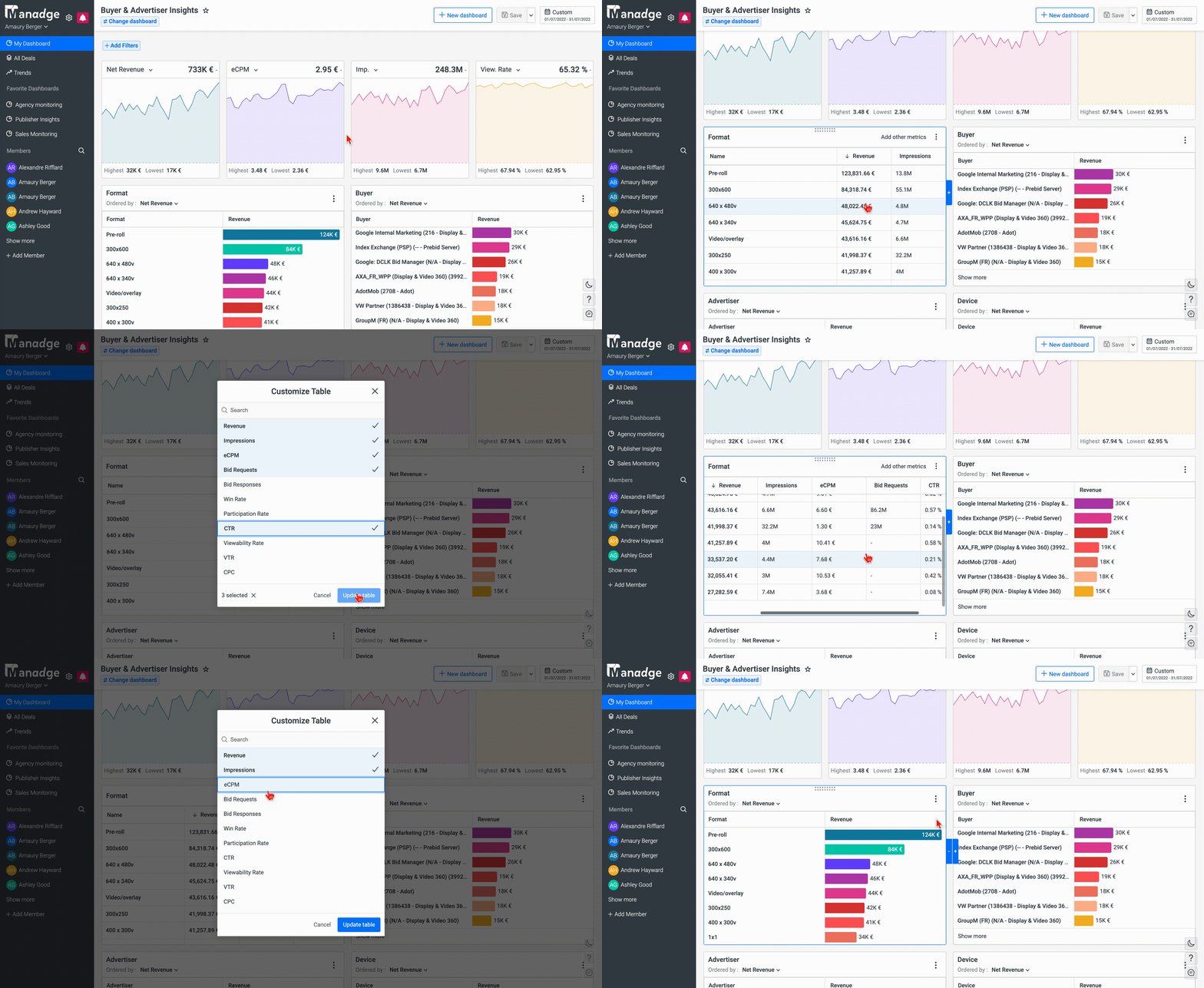
A widget is an en element of your dashboard where you actually can see all the data and values present inside the chosen dimension.
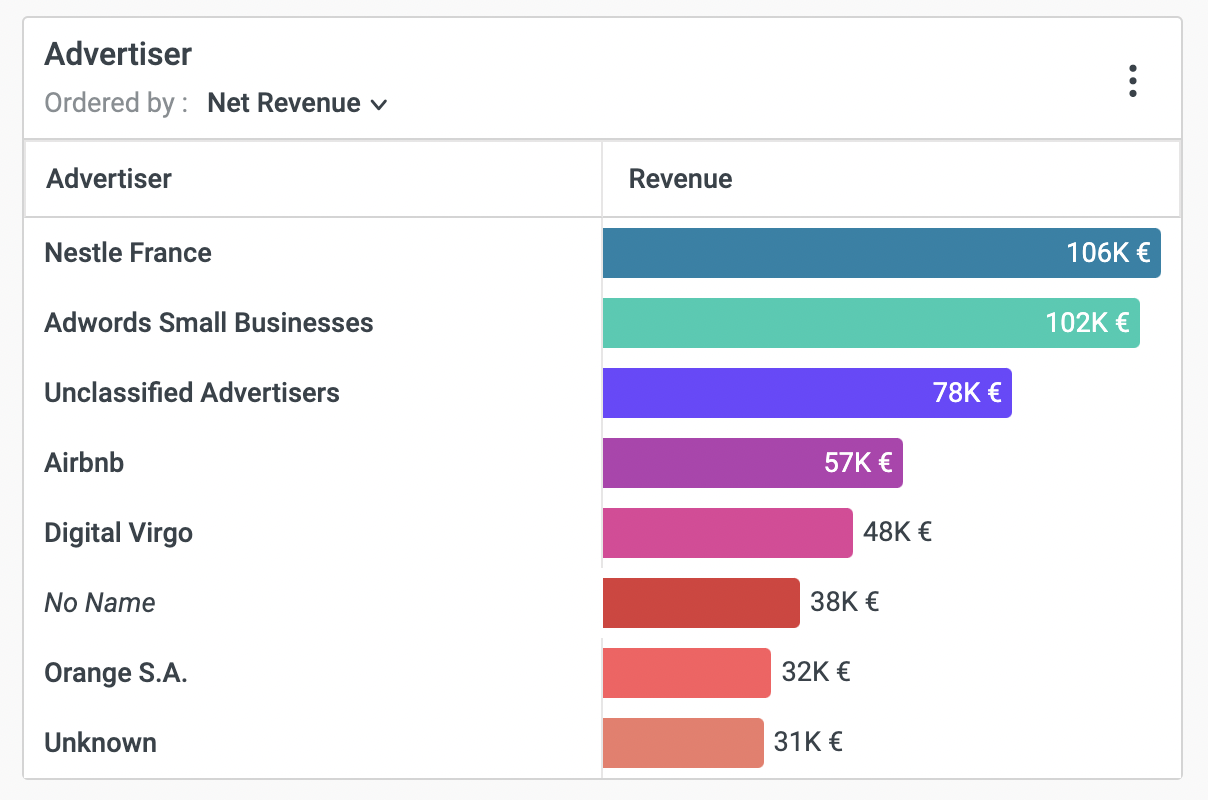
A dashboard widget can show a generic dimension:
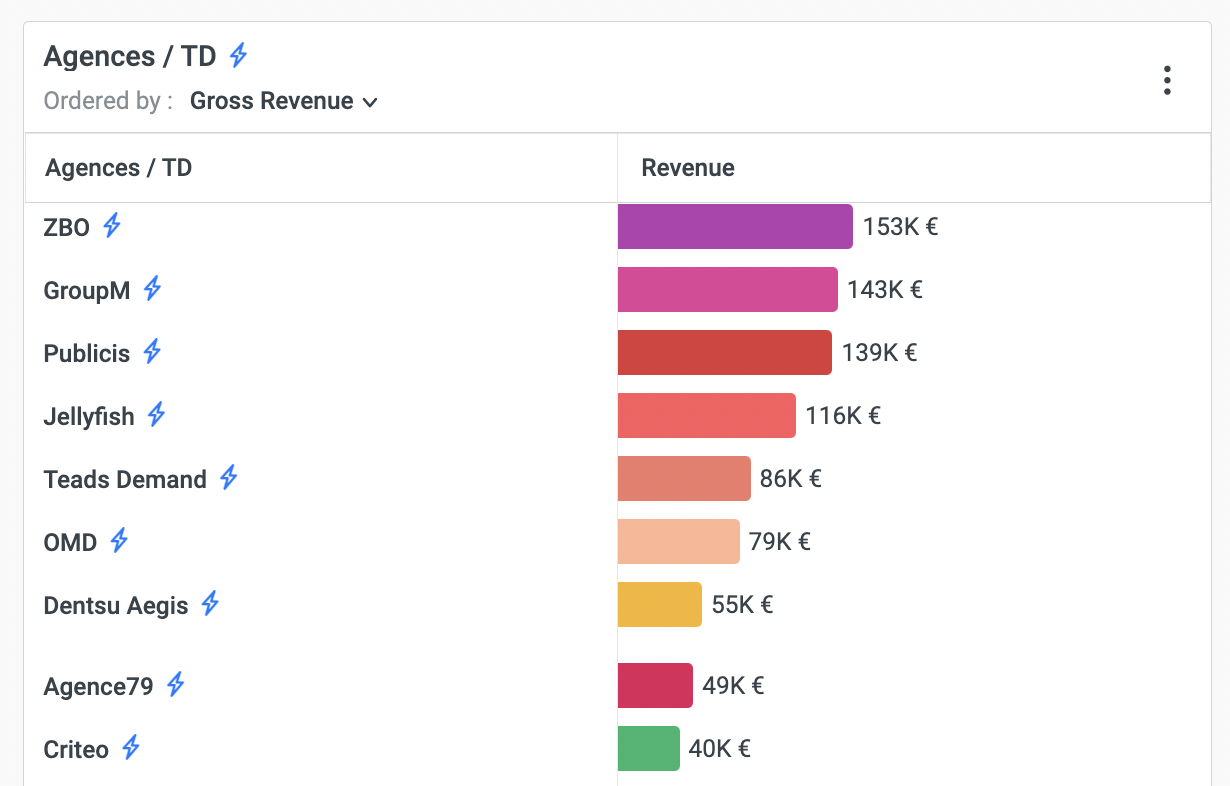
A widget can also show a mapped dimension:
You can rearrange the widgets present on your dashboards as much as you like by changing their position, size, dimensions, metrics and even its visual representation : bar, pie or table charts.
Create a Widget
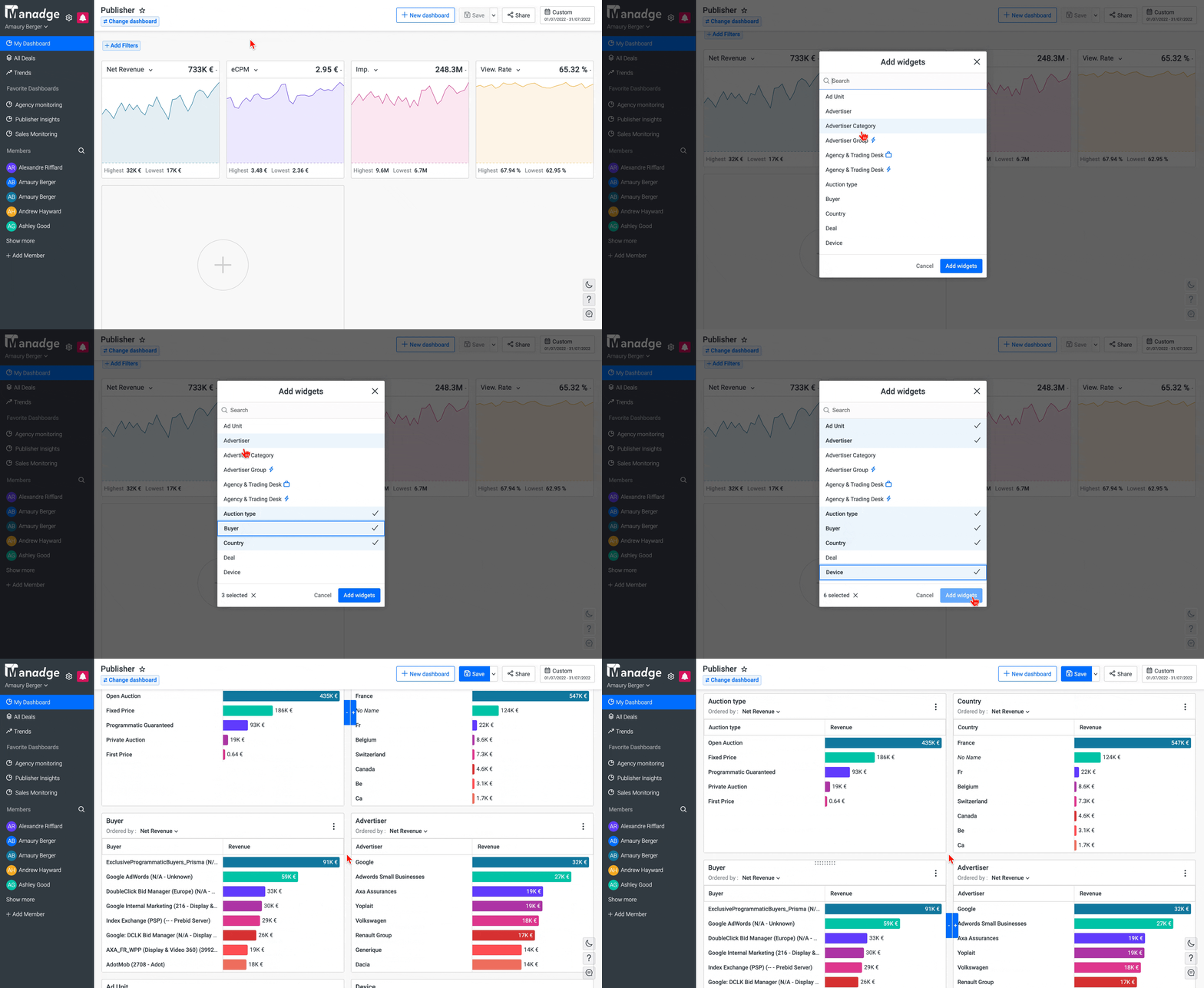
To analyze your programmatic activity you can add as much as 12 widgets on your dashboards : all you have to do is to click on the "+" button at the bottom of your dashboard.
A list with all your dimensions available will appear : you can now select 1 or more dimensions simultaneously. Once you click on the "add widget" at the bottom, these dimensions will appear on your dashboard.
Remove a Widget
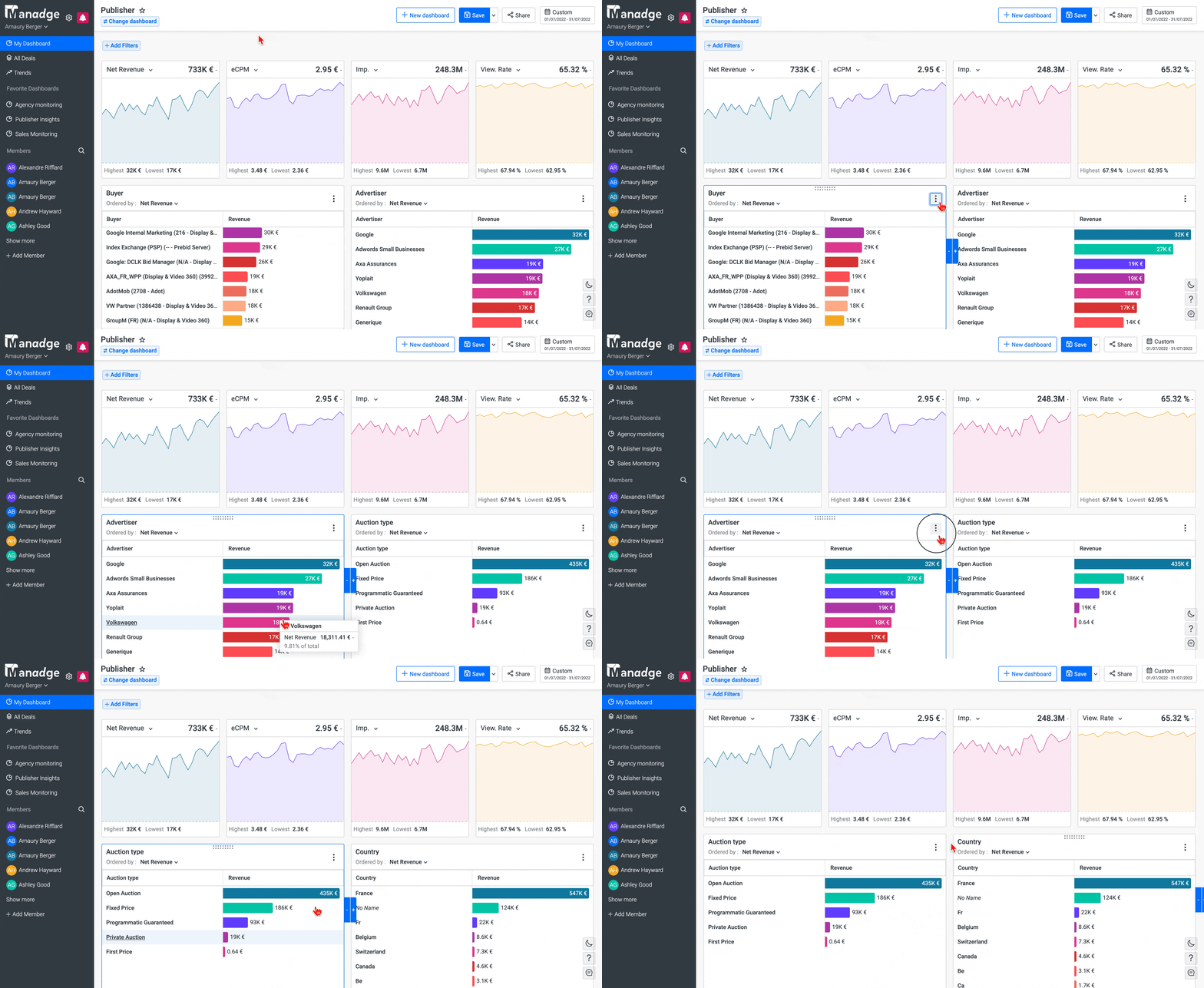
To remove any widget from your dashboard, click on the "three dots" in the upper right part of your widget : a list will appear and at the bottom use the "remove" button.
Change the Order of Metrics in a Widget
Values in widgets are by default shown in order of Revenue, whether it's in Net or Gross (as selected in your settings, see Preferences Settings.
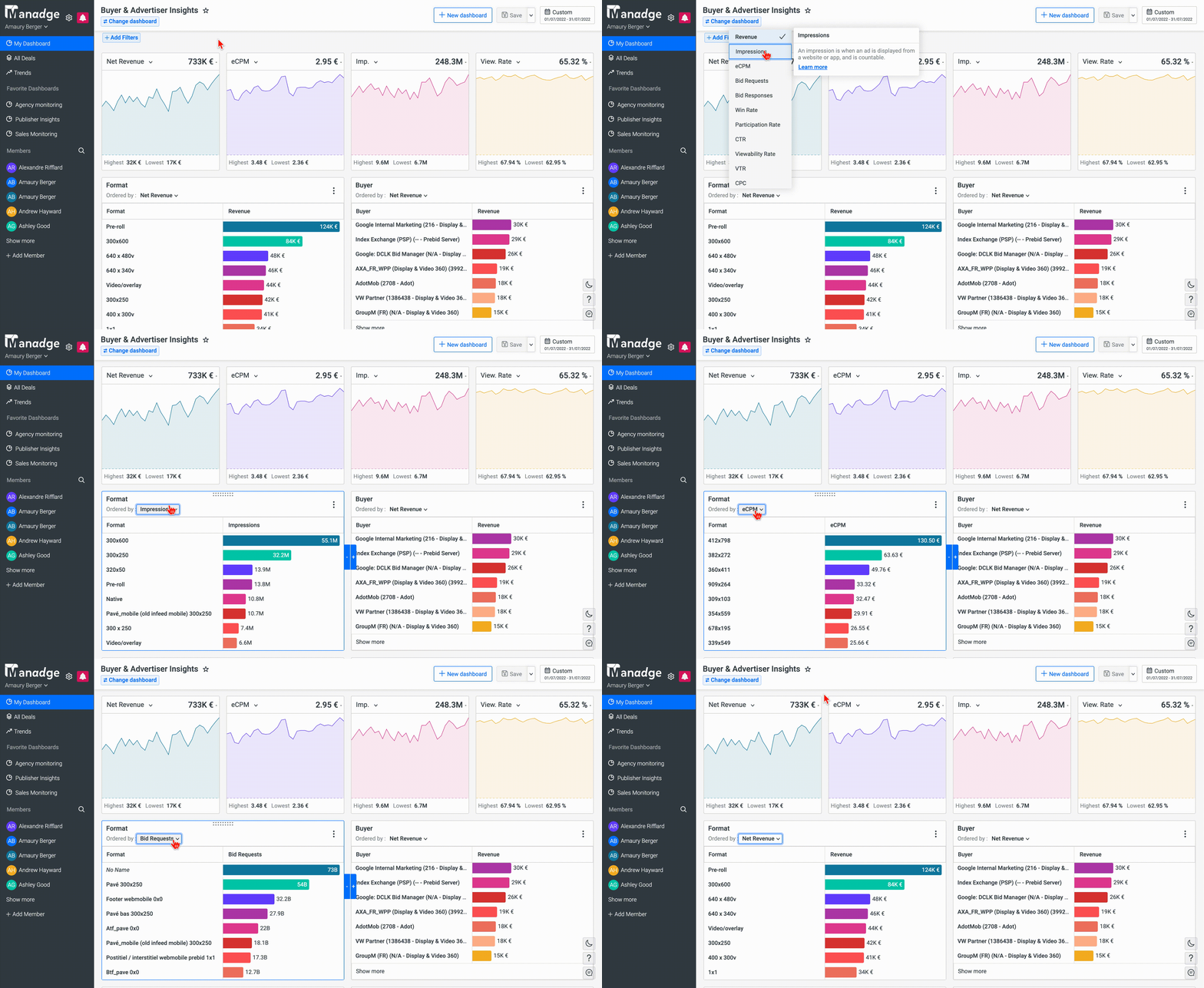
You have the possibility to change the metric of the widget : all you have to do is click on the metric name next to "ordered by in the upper left side of the widget".
A list with all other metrics available (Impressions, Bid response, Viewability, VTR, etc...) will appear and allow you to choose the one you like, as you can see in the example below :
Change the Visual in a Widget
The default visual is a classic Bar chart but you can change that to other visuals which would better fit your needs :
A pie chart
A table
A bar chart
To do so click on the "three dots" in the upper right side of your widget : then you have the possibility to select "Pie" or "Table".
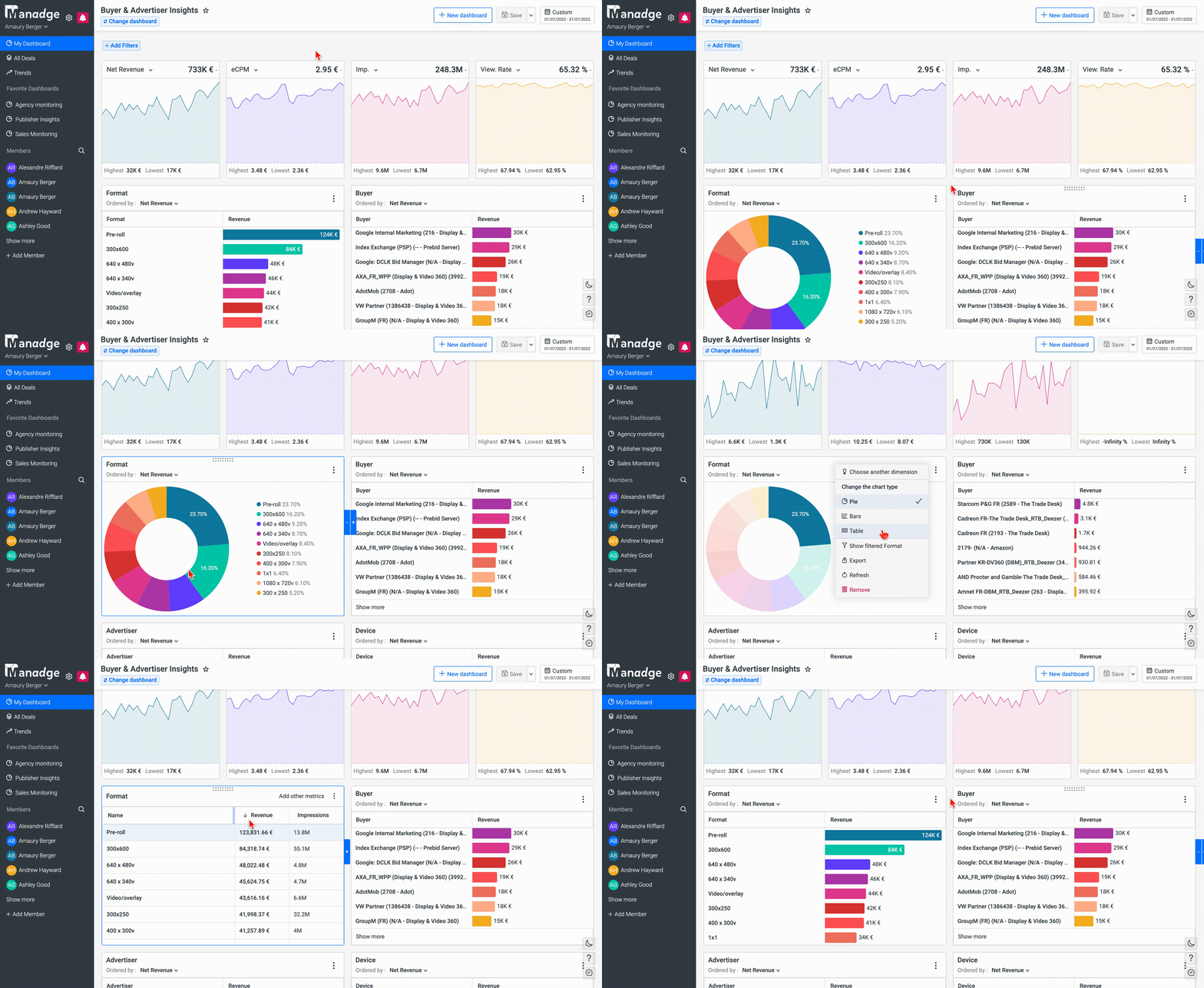
What is interesting with the Table visual is that you can add other metrics in your widgets : click on the "Add other metrics" in the upper right side of the Widget, and select from the list which additional information you wan to appear on the table as new columns :